
Radiophonia 1.0.0 is the release where the app leaves the pocket. It runs on Google TV and Android TV, it drives the CarPlay head unit, it plays stations that were silent on iPhone and Mac, and it closes a batch of bugs whose common theme was state that assumed it would be moved — between screens, between devices, between the two sides of a keychain query.
Google TV and Android TV: The Remote Is the Mouse
The Problem
A TV app is not a scaled-down phone app. A pointer-less interface rendered at 1080p on a panel you sit four metres from is a different input system and a different visual language. Radiophonia also had a concrete blocker hiding in its manifest: the app launched fine in desktop mode but never appeared on the TV home screen, and the Play listing had no TV assets to show it off.
The Solution
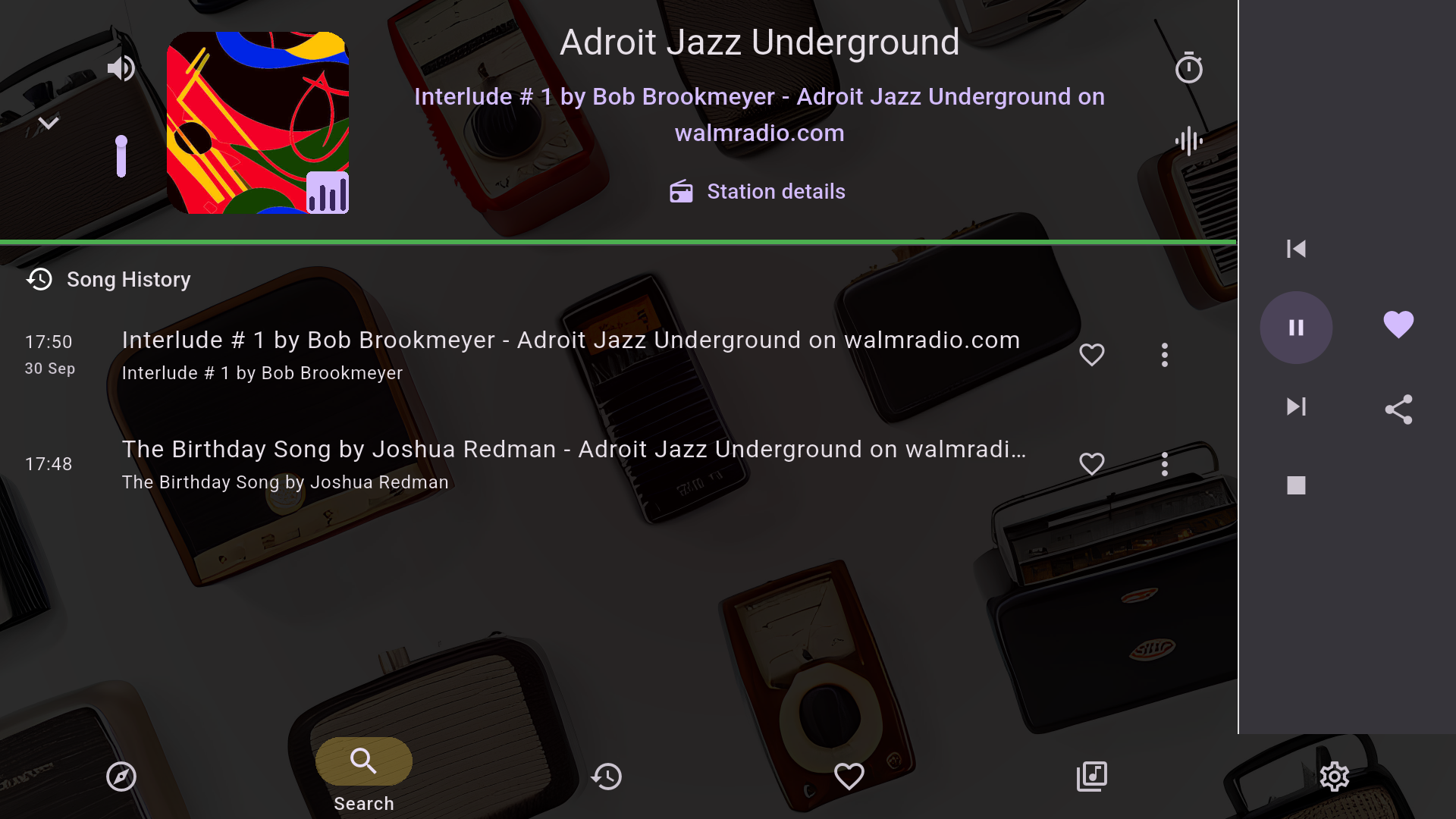
The port is deliberately thin. The AAB now ships the Leanback launcher intent, which is what puts the icon on the Google TV home screen at all, plus a native 1280×720 android:banner — the “Signal red” launch artwork (maroon radial, concentric radio-wave rings, icon tile, wordmark) replacing the token 320×180 shelf image the store would otherwise have shown. Leanback and touchscreen features are declared required=false, so the same binary remains phone-first.
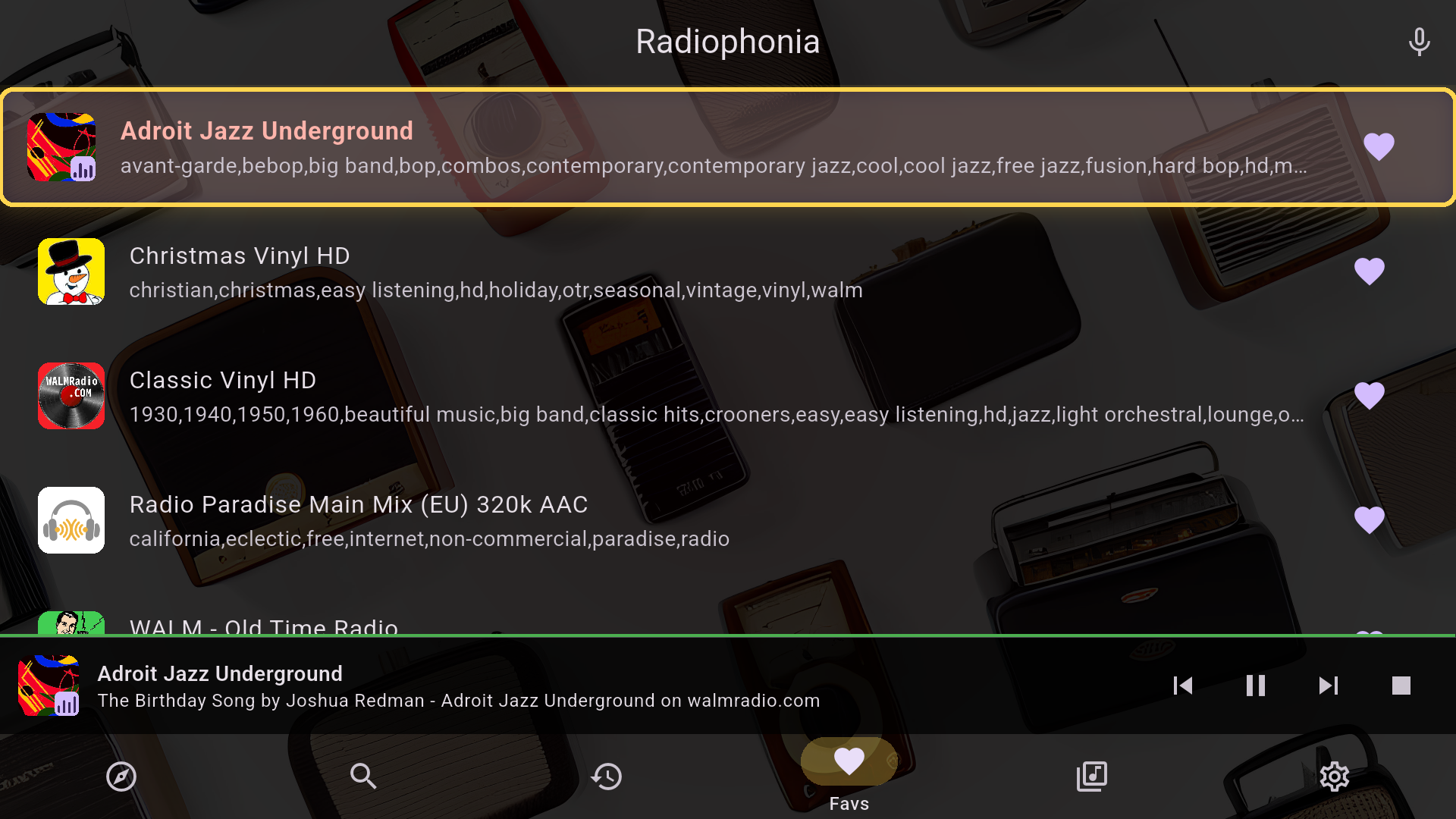
The interaction layer is where the work is: focus highlights on every row, card and button (D-pad navigation without a visible focus ring is just scrolling in circles), and the controller menu button switching panes. The screens were rebuilt around that distance — Discover, Favourites, Now Playing with the song-history rail still beside the player, achievements — and the whole set was captured on a 1920×1080 Android TV emulator, which also produced the five listing screenshots now live on the Play TV listing.
The Lesson
TV is a focus system, not a layout. A phone UI shrunk to fit a TV fails for the same reason a desktop UI stretched to fit a phone does: the input model, not the pixels, decides the interaction.
CarPlay: One Engine, Two Screens
The Problem
CarPlay gets its own interface template (audio apps get an audio slot) — the head unit must show something. But everything worth showing lives on the phone’s main Flutter engine: the audio service, the current stream, the queue context, the history writer. flutter_carplay was tried first, as a spike (2026-09-22) — and then dropped: it bundles an AndroidAutoService that conflicts with audio_service, which is where the player and now-playing state live, so it can’t share the engine with them.
The real bug surfaced on a locked-phone cold start with CarPlay attached. Two root causes: first, the Flutter engine was created only when the phone’s window scene connected to the foreground — on this path, the phone’s screen was off, so that scene never became active and Dart never ran: CarPlay launched, showed the tabs, and every list was empty. Second, the keychain bug covered further down silently corrupted the encrypted Hive store, so even once Dart ran, history and badges were missing.
The Solution
A custom native Swift module that owns exactly one thing: the CarPlay scene. CarPlaySceneDelegate creates the CPInstrumentNavigationController and a CPListTemplate per tab — Favourites and Stations — with the station’s own artwork and subtitle, a play button per item, and list navigation that keeps playing (picking an item replaces rather than appends, like Android Auto). A single carplay.bridge method channel carries taps and focus events to Dart and template updates back — setRootTemplate sets the tab-bar root, pushTemplate presents the Now Playing template over it — so the head unit never re-derives state, it reflects the phone’s.
The engine contract came first: AppDelegate now starts one shared FlutterEngine when the app launches, and the CarPlay scene waits for Dart to be up before subscribing. Transport controls ride through audio_service’s iOS media session (MPNowPlayingInfoCenter/MPRemoteCommandCenter); browse taps and list skips call the same AudioPlayerService.playFromContext(station, list) the in-app UI uses, so next/previous mean move through this list everywhere — phone, Android Auto, CarPlay — and wrap around at the ends. Artwork now always carries the station logo or album cover: the old buffering-status gauge was removed from the artwork slot (Apple’s CarPlay guidelines want now-playing templates to carry their specified information types — and buffering is now shown in the title instead).
The Lesson
CarPlay is a second view, not a second player. One engine, one audio session, one queue context — any architecture where the head unit re-derives state duplicates the state machine and forks the bugs.
The Codec Gap: Making Silent Stations Play on Apple Hardware
The Problem
A list of stations that simply never produced audio on iPhone or macOS: OGG Vorbis and Opus streams — silent on both, because AVFoundation decodes neither, while ExoPlayer (Android) and libVLC (Windows) handle them natively; WMA, MP2 and HE-AAC-in-TS — rejected by AVFoundation with (-1015) cannot decode raw data, every connect and every reconnect attempt; BBC’s curated defaults, which ship as 96 kbps HE-AAC (SBR) inside MPEG-TS. And a related one on iOS: the live window a player should poll is BBC’s short .norewind playlist — the full rewind playlist runs to ~3,375 segments, and a poll of it floods the player with hours-old audio (heard as a soup of unrelated audio, then a jump, then queue overflow) instead of live.
The Solution
Two lanes, because Apple gave two answers. On macOS, StreamProxyService grew a transcode mode: a spawned ffmpeg helper re-encodes the stream to 128 kbps MP3 on localhost, which AVPlayer decodes natively, with CarPlay and the media-session plumbing untouched. The helper is a stripped-down ffmpeg CLI built from official, SHA-256-pinned sources and TLS via Apple’s system Secure Transport — no third-party TLS library shipped.
On iOS, none of that was legal: iOS forbids spawning child processes, so Process.start doesn’t exist. So iOS swaps the player engine instead — media_kit/libmpv (media_kit_libs_ios_audio, JustAudioMediaKit.ensureInitialized(iOS: true)) decodes OGG/Opus natively (WALM 2 HD Opus verified audible on an iPhone SE). BBC HLS plays through the stream proxy’s HLS relay, with one twist: mpv mis-parses the relayed .m3u8 as a plain-text playlist, so on iOS the player reads the relay’s demuxed-AAC progressive pump instead — Android/ExoPlayer keeps the relayed manifest. The curated BBC default also swaps, at load time, from the 96k HE-AAC variant to the 128k AAC-LC variant of the same HLS master (a URL-string transform, no asset change), and the quality menu now offers AAC-LC 128k + 320k. Every on-device check in this section ran on the dev rig — the sandboxed profile build on the dev Mac, and its paired iPhone and CarPlay Simulator — not on CI and not on the Linux dev box.
Three pump bugs were found on-device and regression-tested: the player was being fed a poll of the ~3,375-segment rewind playlist (hours-old audio, then a jump, then queue overflow) instead of the 5-segment .norewind live window; segment delivery came in bursts, letting mpv’s HTTP layer idle-timeout and reconnect between them — audio is now released frame-by-frame in proportion to the backlog and the relay polls every 2 s; and the HE-AAC default was swapped for exactly the reason above.
The Lesson
“Silent” is a decoder decision, not a URL problem — the platform’s definition of decodable sets the station ceiling for that platform. And a proxy that can re-encode or repack is worth more than any number of retries against a stream the platform player cannot decode in the first place.
Pause Is Not Stop: the Background-Audio Bargain
The Problem
iOS suspends a paused app about ten seconds after its audio stops — and the power scheduler (dasd) then kills it, so Play had nothing to resume and a paused station never came back; the lock screen was an all-or-nothing AVAudioSessionPlaybackState (play, or full stop). Lock-screen Stop was worse than useless: it ended the media session, iOS then killed the app, and what remained was iOS’s own ±15 s skip buttons. A station paused past the ~3-minute proxy buffer resumed by replaying that stale buffer — already-heard audio, then a jump. A pause long enough to stale the AVPlayer socket ((-1004) on every reconnect) was meant to be rescued by the background-rebuild path — which never fired, because iOS emits spurious paused/hidden lifecycle events before waking, clobbering the recorded background timestamp, so the resume gap looked like 0s and the rebuild was skipped.
The Solution
While paused, the app now loops digital silence (AppDelegate.swift, a radiophonia/background_keepalive channel) so iOS keeps it alive and Play resumes; the keep-alive stops after the pause timeout, now 10 minutes (was 5). Honest note: guideline 2.5.4 expects background audio to be audible, so the technique sits in App Review’s grey zone and was declared, not hidden. Stop is gone from the lock screen — its removal alone restored play/pause plus previous/next, and the session survives the pause instead of ending in it.
The buffer policy carries the rest. A paused proxy keeps topping up a drained queue with fresh segments and stops fetching once the paused player’s buffer is full — zero upstream requests while idle, so data and battery stop burning and the queue is full at resume. If the queue did drain during a long sleep, resume re-anchors to the live edge instead of replaying already-heard audio: one clean jump straight to live, and reconnection dedups the overlap against the ring buffer so the gap’s tail is never handed to the player twice. A socket that goes silent is now announced and treated as a stream drop — backed-off reconnect, not an endless reconnecting spinner over a connection that never enqueues audio.
The Lesson
Background audio is a resource negotiation with the OS: the moment you stop being “actually playing” you are accumulating reasons to be killed — and the app’s buffer policy is its power policy. Also: a “reconnecting” spinner over a silent socket is the worst error message in streaming. Make the dead case loud, then fix the code path that hides it.
The Keychain That Wiped the App’s Memory
The key that encrypts the Hive store had lived in the iOS keychain since the first release that shipped encrypted storage, and the storage layer moved twice during the CarPlay recheck on the dev rig (2026-09-30). First the protection class: when-unlocked keys cannot be read while the phone is locked, which is how the “locked CarPlay start shows nothing” bug was born — so the key moved to after-first-unlock access. Then the read query was updated to ask for that class by name, and that second change was the regression: the stored key was still when-unlocked, and iOS keychain queries match on the protection class, so the class-qualified read found nothing. It was caught before release on that same recheck, and fixed the same day.
The chain: “not found” was taken as “no key yet” — a new key was generated, saving it failed with -25299 (the old item still existed), the failed key was used anyway, every encrypted box failed to authenticate, and Hive’s crash-recovery treated that as corruption and truncated all eight boxes (Recovering corrupted box. ×8, every cold launch). On the dev rig it reproduced as a blank History tab and an empty badges tab on every relaunch, until the same-day fix; on a user’s phone it would have read as amnesia, not as an error — no crash, no error message; an account-holding user’s synced tabs (all four — Favourites, History, Stats, Badges — are cloud-sync targets) would backfill from the cloud on every launch, while a signed-out user got persistent local amnesia.
The Solution
Keychain reads and deletes now omit the protection class, so the stored item is always found — and the one-time migration then moves the old when-unlocked item ahead, backup-first: the old item is deleted and re-added under the new class (backup first, deleted last, so a half-finished migration leaves a .bak the next launch reads). A key that could not be saved is never used either — the silent “use the failed key anyway” path is gone. The failure shape is pinned by two regression tests against a fake keychain that matches on the accessibility attribute like the real one (one proves an existing unlocked vault keeps its key and migrates to first_unlock; the other proves the failed save can never be used), and the chain was re-run end-to-end on the rig: relaunch locked-phone, store intact.
The Lesson
A keychain is a query language, not a dictionary — a filter you didn’t know was part of the match (class, service, account, label) silently changes the result set. And “cannot decrypt” must never be treated as “empty”: crash recovery that silently truncates turns a lookup bug into a memory wipe.
State That Belongs to Exactly One Device
The Problem
Cross-device sync happily synced everything, and not every preference is a preference — some are device coordinates wearing a settings field’s clothes. /Users/nigel/Desktop as the recording folder is a valid Mac path and a broken Android path; an audio output device selected as wasapi/{…} on Windows describes hardware that exists nowhere else. Both used to sync, and one device’s value used to overwrite another’s. On the web, the mirror-image bug: sign-out deliberately kept local data, so on a shared browser the next user inherited the previous user’s favourites, history, stats, badges — and unflushed pending-sync keys could be pushed into the new account.
The Solution
Every preference key was audited against one question — is this value only valid on the device that wrote it? — and the answer became PreferencesRepository.syncableKeys, a sync allowlist. Anything not on the list is stored locally and never pushed or pulled; legacy cloud values of non-syncable keys are purged on pull, so a future key that forgets to be listed simply doesn’t sync instead of leaking. The allowlist is the default that new keys fail into. On web, a device-local identity marker box remembers the last signed-in uid: a different user signing in wipes user-scoped local data first (device-local settings stay), and a first sign-in on a clean device still merges guest data — the accountless path stays lossless.
The Lesson
A cross-device feature is a cross-device contract: validate the value, and default to device-local unless the value means something on every machine. Sync-everything is not convenience, it is a cross-device regression generator.
Smaller Things
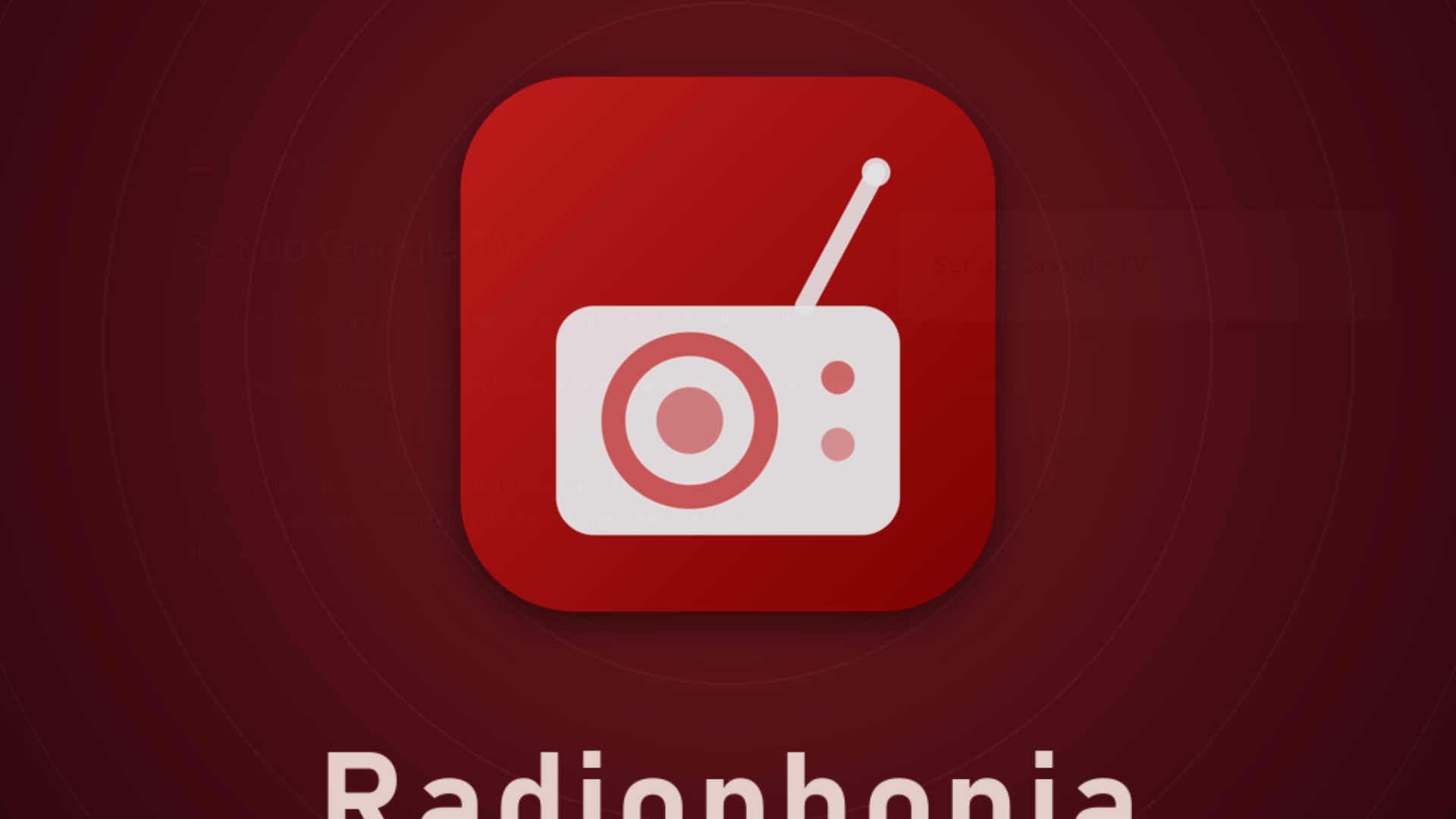
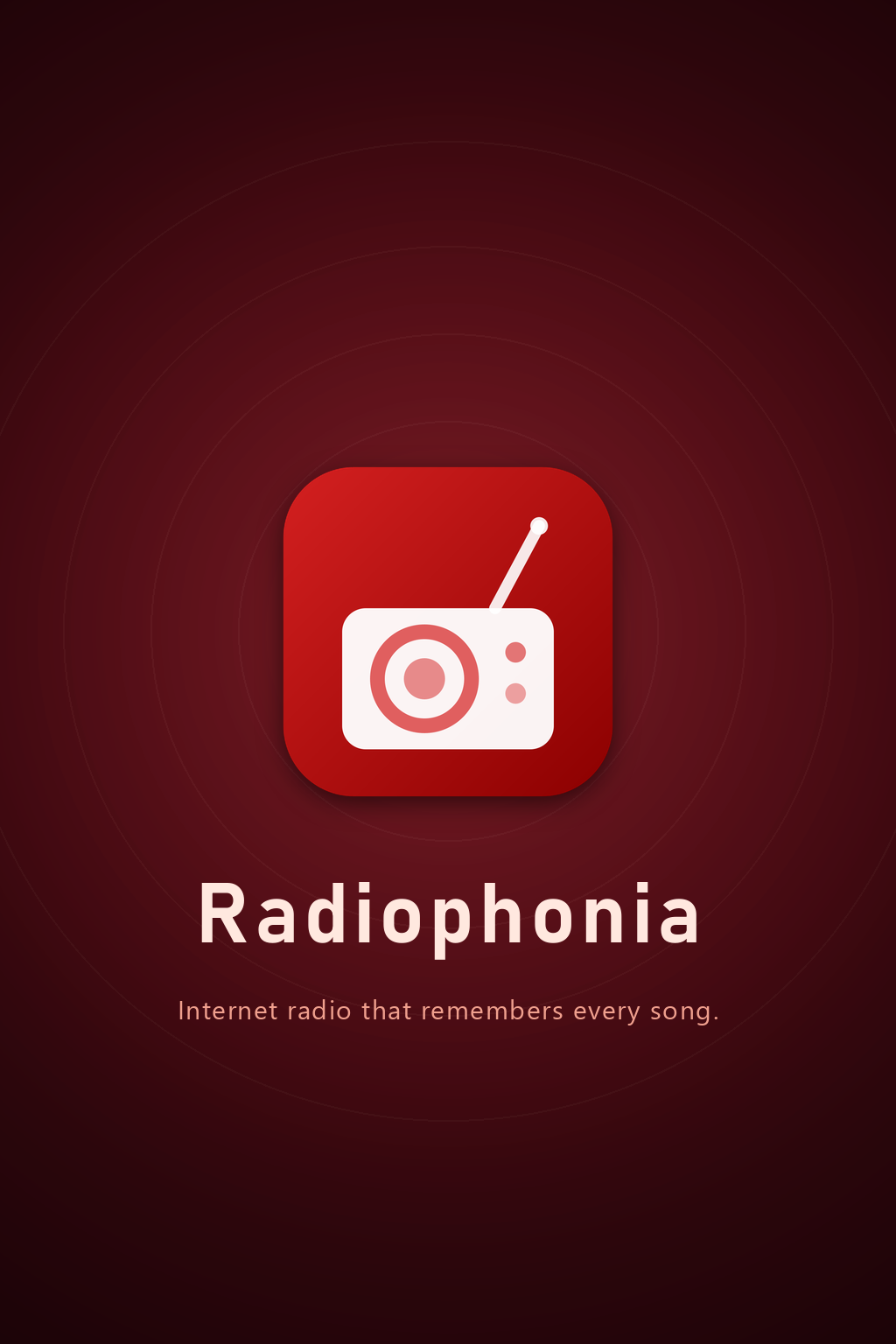
The two-layer splash. Below Flutter, a native launch screen (brand maroon + centred icon) exists as a build-time asset on Android, iOS and web; above it, an in-app SplashHome overlay shows a full-bleed launch artwork, picked per device from physical pixel size and aspect — phones get the dedicated 9:19.5 composition, 4:3-ish screens the tablet composition, and the 2:3 master is the fallback for every other aspect, including all landscape/wide screens — which is how it ended up on the TV, and the overlay can be switched off in Settings → Appearance. On a phone the tall 9:19.5 art fills the screen exactly; on a 16:9 TV panel, cover scaling crops the master top and bottom, and the crop line slices through the centred “Radiophonia” wordmark (its descenders go) and puts the tagline entirely out of frame — exactly what the TV panel shows. There was no separate wide variant to ship for TV: reusing the portrait master on wide screens was the documented, accepted choice — and the acceptance (“only the tagline can clip at extreme ratios / logo + wordmark survive”) was simply miscalibrated: the crop line had already reached the wordmark’s base at 16:9. The web layer had a quiet bug: web/index.html listened for flutter-first-frame on document, but the engine dispatches it on window — so the maroon overlay stayed pinned over the fully-rendered app on every load, forever. Two layers, two clocks: the native screen can’t be toggled because the toggle’s own storage doesn’t exist yet when it renders.
Web queue hygiene. A restored play list of persisted blob: URLs was listed after reload but unplayable — those object-URLs don’t survive a reload, so every entry failed “failed to set local source” in turn; dead blobs are now liveness-checked and pruned at startup. And the web queue played “all the same song” because just_audio’s web backend never cleared its internal _playing flag on ended — every next track’s play() was swallowed. The package is now vendored as packages/just_audio_web (0.4.16) with a one-line patch, pinned via dependency_overrides.
FeatureGates. Platform availability is now one testable value object — recordingSupported, directoryPickingSupported — instead of scattered Platform.is* checks, so the web build hides what it cannot do (record, folder picking) instead of throwing UnimplementedError at tap-time.
The stores. Microsoft Store now carries the same store flavour as the iOS/macOS store builds (no local recording), and Premium purchases across all channels go through the web checkout with accounts and entitlements shared platform-wide.
And smaller still: next/previous wrap around at list ends (the dead skip button at the last entry is gone); the head unit finally shows the current track after a station switch (direct-AVPlayer streams have no ICY listener to clear the stale metadata — now the switch path clears and re-emits); CI unified on Flutter 3.47.5/Dart 3.13.4 with the release and dev pipelines green on the tag, including linux-arm64 on a Pi 400.
By the Numbers
- 5 Google TV listing screenshots (1920×1080, Android TV emulator) + one 1280×720 banner replacing a 320×180 shelf image
- 1 shared Flutter engine for the phone screen and the CarPlay scene
- 2 new decode lanes on Apple hardware (localhost transcode on macOS, libmpv on iOS)
- 4 previously-silent codec families now playable on iOS/macOS (OGG/Opus, WMA, MP2, HE-AAC-in-TS)
- 3,375 segments in a BBC rewind playlist, and roughly zero of them useful
- 2 s HLS poll interval; frame-proportional audio release
- ~3 min paused buffer, then fetching stops; 10 min silence keep-alive ceiling (was 5)
- 8 truncated Hive boxes per launch, before the keychain fix — and two regression tests after, against a fake keychain that matches the protection class like iOS does
- 1 sync allowlist (
syncableKeys), defaulting new keys to device-local - 1,035 unit tests green on the release branch (one skipped) — the previous count in CHANGELOG was 613 (0.6.10, February)
Lessons
The TV and CarPlay work taught the same lesson twice: a second screen is cheap, a second source of truth is not. The TV got focus and distance; CarPlay got a mirror on one engine and one audio session. Anything that re-derives state on a second screen becomes a bug farm — and flutter_carplay ran aground on exactly that: its bundled AndroidAutoService was a second source of truth colliding with audio_service, which is why the module was dropped before anything was built on top of it.
The codec-gap work reframed “silent station” from an input problem into a decoder problem. A proxy that can re-encode and repack raises the platform’s station ceiling; every unbounded await around it was already a stall, so the timeouts came with the transcodes.
The state bugs — keychain, sync, shared-browser identity — shared one shape: state that quietly assumed it would be moved, copied, or matched on more fields than it said it did. Protection classes match, device paths don’t travel, and a device-local blob URL is not a file.
Radiophonia 1.0.0 is available from radiophonia.app. Direct-download artifacts are published on the Radiophonia v1.0.0 release page.